System & Settings
Focus & Privacy Modes
Two switches for two moments — clearing the screen to work, and hiding sensitive text fast.
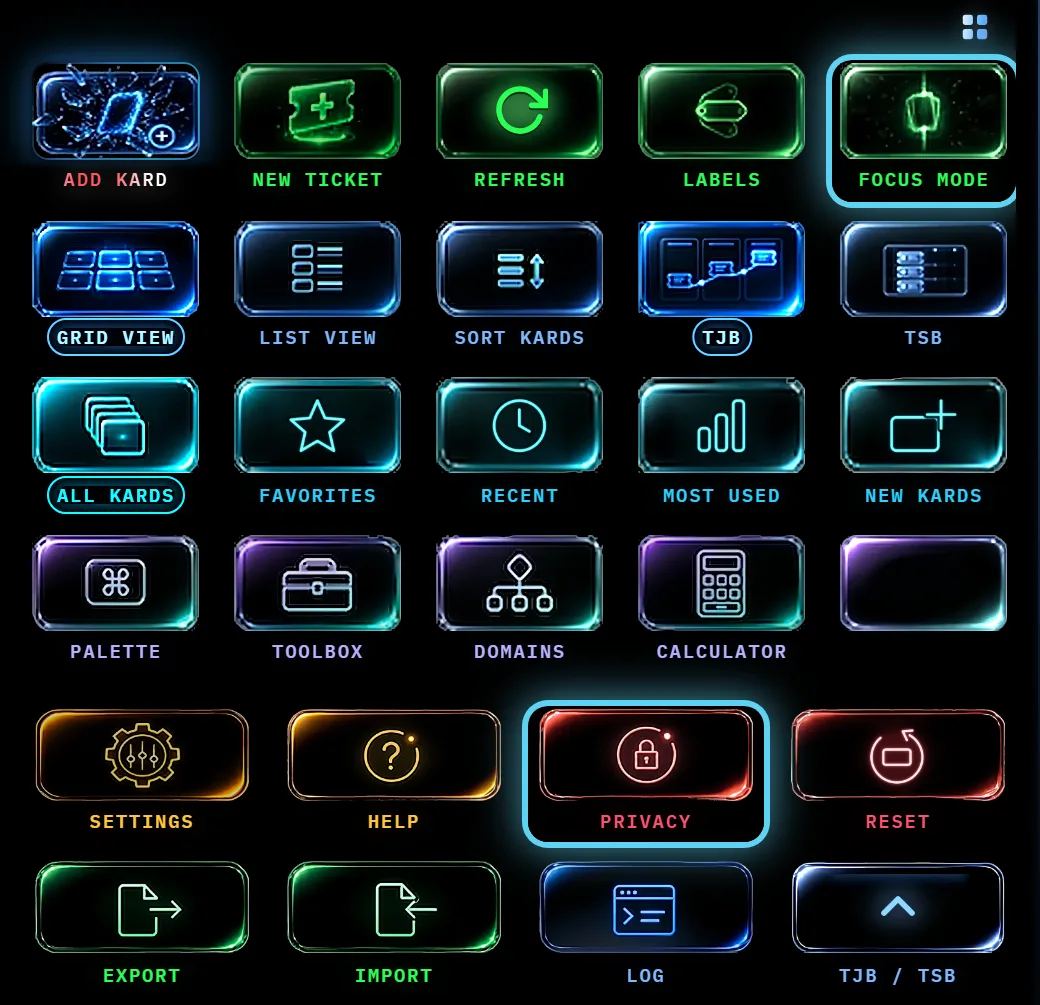
At a glance
Focus Mode strips the screen down to the work in front of you. Use it when the boards and buttons are more than you need right now. Privacy Mode blurs your ticket data — titles, client names, contacts and descriptions, and the working detail: technician notes, the resolution, the blocked reason, tags, the reference link and who it's assigned to — so someone glancing at your screen can't read it. Use it the moment someone walks up behind you.
It covers ticket data everywhere that data appears: on the cards on the board, on the schedule board, in a ticket you have opened to read, in the ticket form, and in the question asked when you resolve a ticket. A field you are typing in — in the form or in an open ticket — stays readable while you type in it and the rest stay blurred, so you can keep working without putting the whole record back on screen. Asking to delete a ticket names it by its number only. It does not blur your Kards, your Kard notes or your search results — it is aimed at your tickets, not at everything on screen.
Privacy Mode also reaches your search history: while it's on, recent searches stop being recorded, and the ones you already have stay out of sight — in the sidebar search and the Command Palette both. The same Privacy Mode switch appears under Settings → Search & Voice. Sidebar history also has a separate Remember recent searches preference; enabling it never overrides Privacy Mode. Earlier terms are hidden rather than deleted. See Search & privacy settings to clear sidebar history and understand its retention.
Both are toggles: turn them on and off the same way. Both are also available from the Kashic Hub, where their switches show the current state.
How to…
Enter and leave Focus Mode
- Press Alt+F, or click Focus Mode in the Command Center.
- Work. When you're done, press Alt+F again — it works even while you're typing in the focus search box — or click Exit Focus at the right of the bar across the top (on a phone, beside the Kard count).
- Esc also leaves Focus Mode. It always closes whatever is on top first: if you have a Kard or a window open, the first Esc closes that and the second leaves the mode.
Flip Privacy Mode on
- Press Alt+P, or click Privacy in the Command Center.
- Press it again to bring your text back.
Tips & tricks
- The two modes stack — Focus for the calm, Privacy for the walk-by. Turning one off doesn't touch the other.
- The Hub's toggle pills (Kashic Hub) always show whether a mode is on — handy when you can't remember why the screen looks different.
- Leaving Focus Mode puts you back where you were — the Kard list returns to the same place you had scrolled to, not to the top.
Troubleshooting
- "My screen is missing things." Focus Mode is probably on. Press Alt+F.
- "Text is masked and won't come back." That's Privacy Mode — press Alt+P, or check the pill in the Kashic Hub.
- "Privacy Mode was off again after a reload." The browser could not save the choice — its storage is full or blocked. The app says so with a warning when you switch the mode. Free some browser storage, or allow this site to store data, then switch Privacy Mode on again.
Shortcuts
| Keys | Does |
|---|---|
| Alt+F | Focus Mode on/off (works even inside the focus search box) |
| Esc | Leaves Focus Mode, after closing anything open on top of it |
| Alt+P | Privacy Mode on/off |